A wedding can easily involve a dozen suppliers, each with a deposit and a final balance on different dates. Miss one and you risk losing a booking. EvntEazy tracks both payments on every budget line and brings the ones due soon to the top of your event page and dashboard.
All plansAvailable on every plan, including Free.
How payments are tracked
Each budget line has two payments:
- Deposit: the amount, its due date and whether it’s been paid.
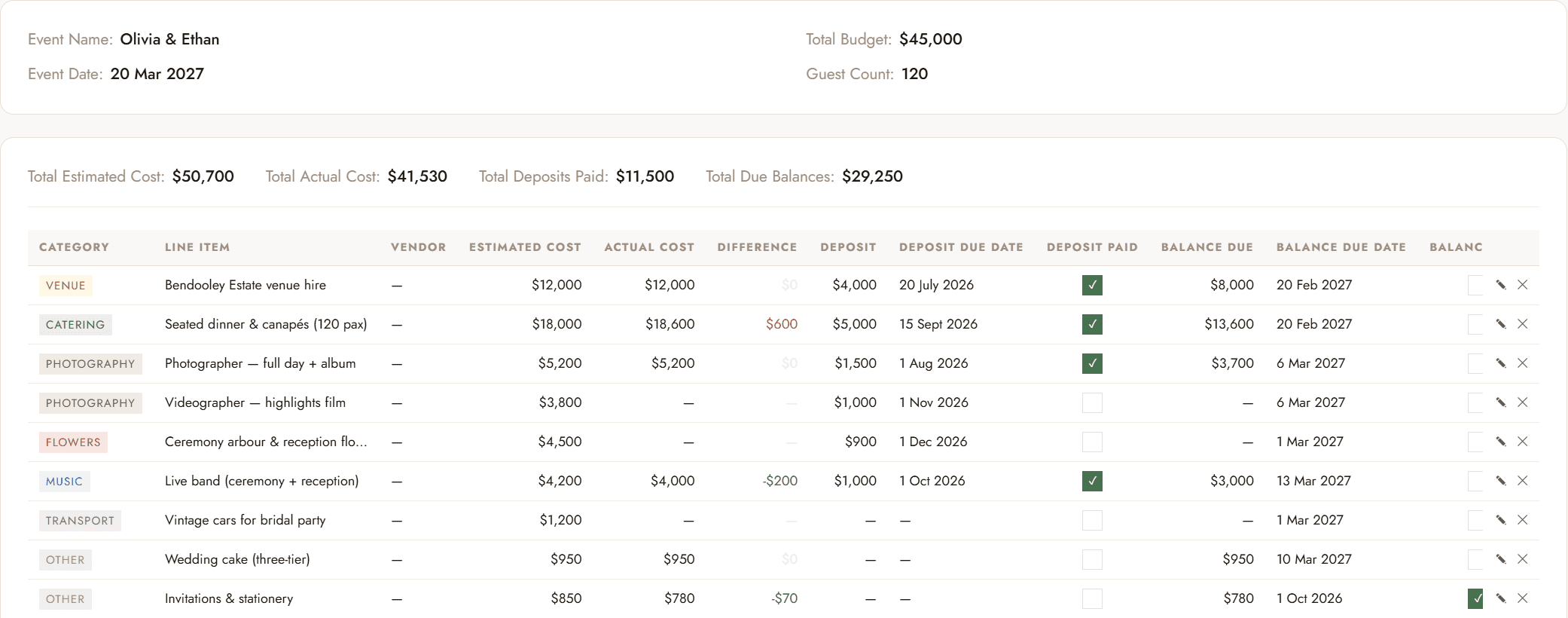
- Balance: worked out for you as actual cost minus deposit, with its own due date and paid checkbox.
For example, a $12,000 venue hire with a $4,000 deposit shows a balance due of $8,000. Enter the actual cost and the balance appears.
Record a supplier’s payment terms
- Open the event and click Manage Budget Items →.
- Click ✎ on a line item, or add a new one. See How to build a client budget if you’re starting from scratch.
- Enter the Actual Cost from the supplier’s quote or invoice.
- Enter the Deposit amount and the Deposit Due Date.
- Enter the Balance Due Date. The Balance Due amount fills in automatically.
- Save. Repeat for each supplier as their terms come in.
Mark payments as paid
You can tick a payment off in two places:
- In the budget table, tick Deposit Paid or Balance Paid on the line.
- On the event page, tick the box beside the payment in the Payments Due panel.
Both update the same record, so use whichever is in front of you. Total Deposits Paid and Total Due Balances at the top of the budget update straight away.
See what’s coming up
Any deposit or balance that has a due date and isn’t marked paid is tracked in Payments Due, sorted with the soonest first:
- On the event page: every unpaid payment for that event, so you can see the whole schedule ahead.
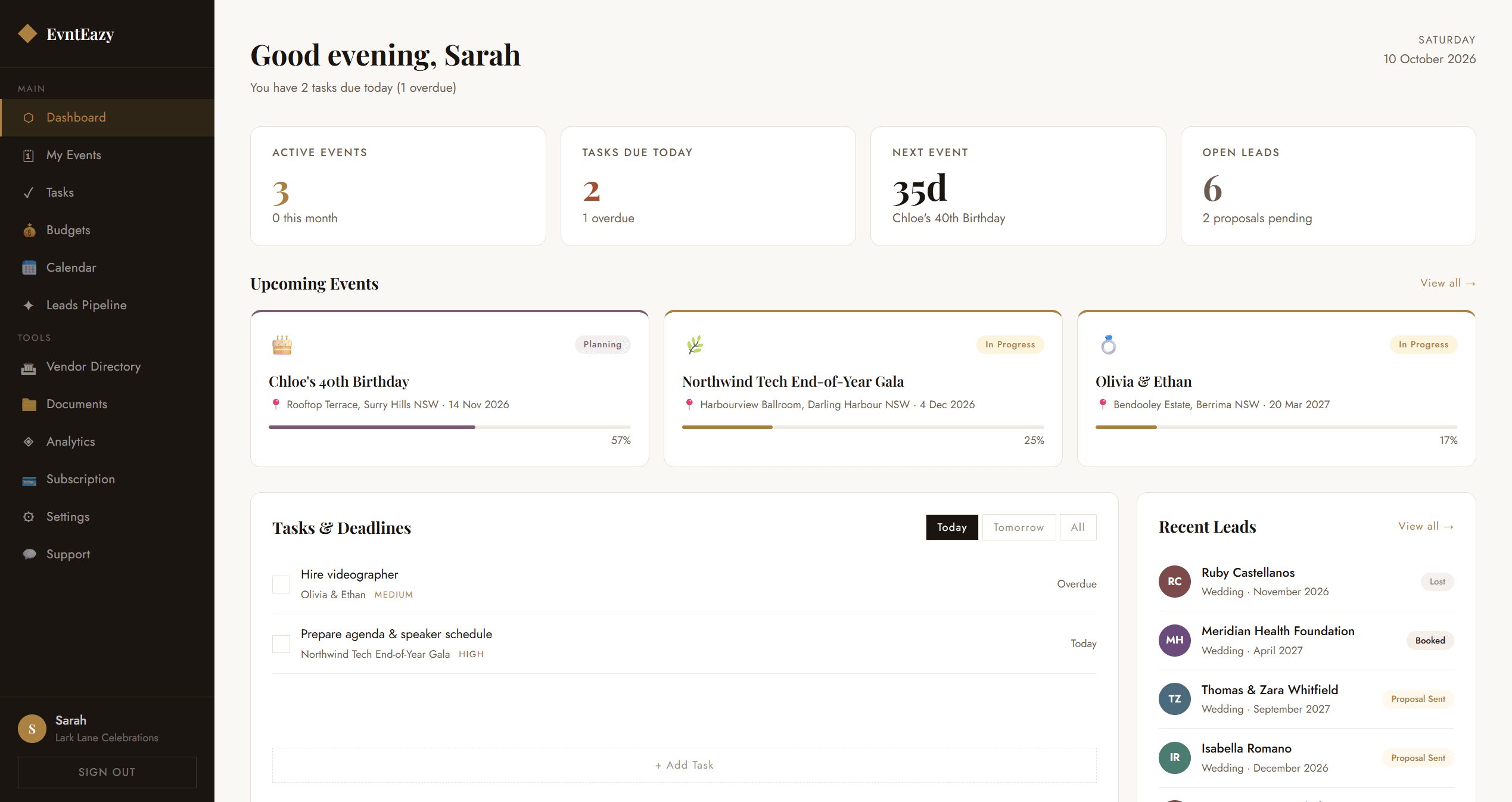
- On your dashboard: payments due today or overdue across all your events, under Tasks & Deadlines.
- On the calendar: every deposit and balance on its due date, in green when it’s due and red once it’s overdue. Click a day to mark a payment paid or jump to that event’s budget.
Overdue payments stay on both lists until you mark them paid, so nothing quietly drops off.
Good habits
- Enter payment terms as soon as a supplier is booked, not when the invoice arrives.
- Check Payments Due at the start of each week.
- Upload the supplier’s contract to the event’s Files panel (Starter plan and up) so the terms are one click away.
Try it on your own events
Explore the live demo with sample data, or start free with one active event. No credit card required.
Questions? Email info@evnteazy.com or use Support in your dashboard. We read every message.